Global settings
There are several global settings that you may want to adjust before using the RAM Disk:
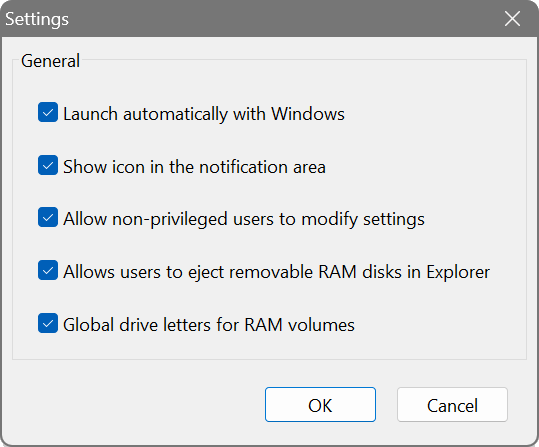
- Launch Automatically with Windows
- Starts the RAM Disk application automatically. This is necessary only for mounting logon-time disks and displaying the notification area icon. Boot-time disks will be mounted by the RAM disk driver regardless of this setting.
- Show icon in the notification area
- Displays the application icon in the notification area next to the clock for quick access to the RAM Disk. If disabled, no notification area icon will be shown when the application is running.
- Allow non-privileged users to modify settings
- Allows users without administrative privileges to control the application and change its settings. In a corporate environment this may be turned off at the network administrator’s discretion.
- Global drive letters for RAM volumes
- Registers RAM disks in the global name space, making them visible to all users and all applications launched on the computer. These RAM disks can be shared in a network, checked and defragmented. It is recommended to leave this option on. In a multiuser environment, for example on a terminal server where multiple users can log on at the same time, this option may be turned off to create fully isolated RAM disks in the local name space.