Alert settings
Alerts tell you when a host is in trouble, by a desktop notification, an e-mail or a program of your own. Conditions decide when, channels decide how, and both apply to every host.
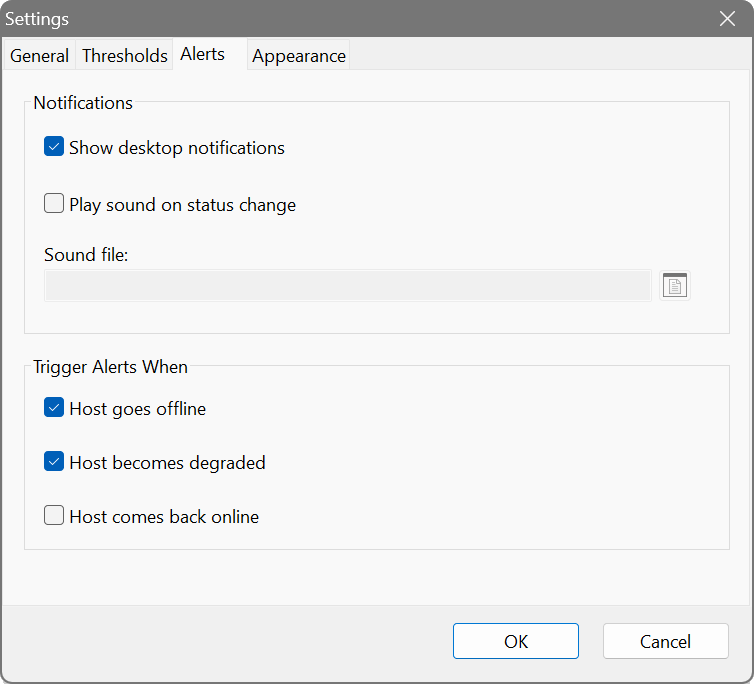
Conditions
Ping Monitor alerts only on a sustained problem, judged over a time window, so a single lost ping on a busy network never sets it off. A condition alerts once when it starts, not again every second while it lasts.
- High latency
- The host answers, but slowly: replies above the set number of milliseconds make up at least the set share of the window. Default: above 200 ms for 50% of 60 seconds.
- Packet loss
- The host does not answer: lost pings make up at least the set share of the window. Default: 10% of 60 seconds.
- Failed probes
- A TCP or HTTP/S probe on the host fails twice in a row, so one hiccup stays quiet. There is nothing to set.
The windows are in seconds, so the conditions keep working whatever the ping interval.
Channels
Tick any combination. A channel counts only once it is configured, so a half-filled one cannot swallow an alert.
Show desktop notification
A notification on the desktop. Configure… adds a sound: a WAV or MP3 file that plays with it.
Send email
An e-mail listing each affected host and what is wrong with it.
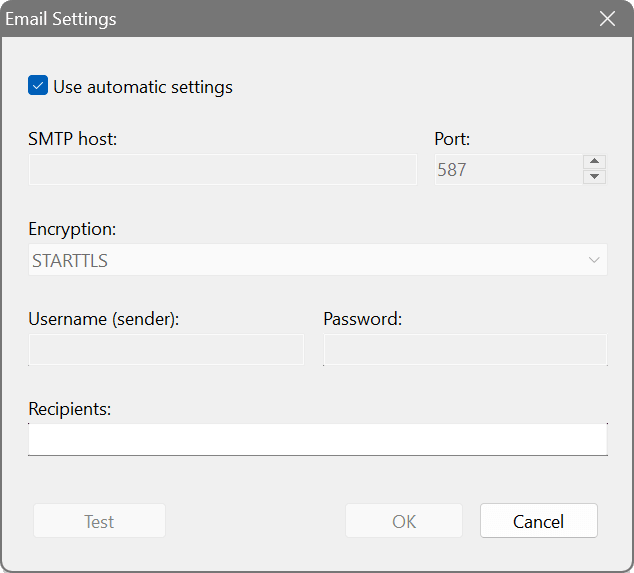
With Use automatic settings, mail goes through SoftPerfect’s relay and only the recipient is needed. To use your own server, untick it and fill in:
- SMTP host and port
- You can type host:port in the host box.
- Encryption
- Plain, STARTTLS on the regular port, or TLS on a dedicated port, as your server expects.
- Username (sender) and password
- The username is also the sender’s address.
Test sends a sample message and reports whether it went.
Execute program
Runs a program or script, with arguments if you like – to open a ticket, post to a chat or flash a smart bulb. On Windows, .bat and .cmd files run through the command interpreter. The alert comes in environment variables:
- PINGMON_HOSTS
- The affected hosts’ names, separated by commas.
- PINGMON_KIND
- latency, loss, check (failed probes), or mixed when the hosts have different problems.
- PINGMON_COUNT
- How many hosts are affected.
Cooldown period
When a whole subnet drops at once you want one alert, not a hundred. After an alert, no other goes out until the cooldown has passed (default 15 minutes). Hosts that run into trouble meanwhile are not forgotten: if they are still in trouble when the cooldown ends, the next alert names them.
Testing and status
Test on the Alerts tab fires the desktop notification, with its sound, and the program at once with a sample host. E-mail is tested from its own dialog, which can report whether the message went.
The right end of the main window’s status line shows the state: Alerts off with no condition or channel set, Alerts on, Last alert and its time, or Alerts held until the end of the cooldown. Click it to come back here.
Your broadband seems to drop out for short spells. Watch your ISP’s gateway, set Packet loss to 20% of 120 seconds and tick Show desktop notification without a sound. Each real drop-out brings a discreet notification – and a record for the support call – while the odd lost ping goes unremarked.
For production servers, set High latency (above 150 ms for half of the last minute) and Packet loss, and send e-mail to an address that reaches your phone. With a 15-minute cooldown a sustained incident sends one message, and when several servers falter together that one message names them all.