Route summarisation
The Supernet tab (also known as route aggregation or supernetting) takes a list of CIDR networks and consolidates them into the smallest possible set of summary routes. This is useful for simplifying routing tables by replacing many specific prefixes with fewer aggregate routes.
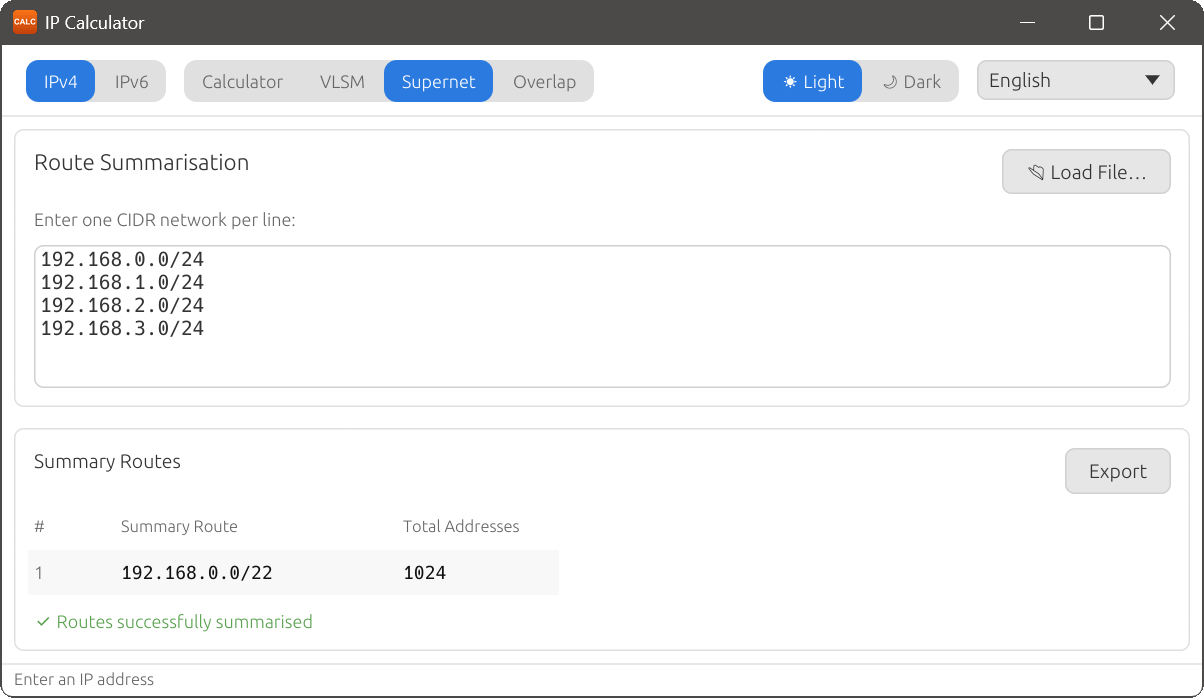
Entering networks
Under the Route Summarisation heading, you will see a multi-line text area with the label Enter one CIDR network per line:. Type or paste your networks, one per line, in CIDR notation (e.g. 10.0.1.0/24). You can also click Load File… to import networks from a text or CSV file.
Summary Routes
After entering your networks, the Summary Routes table displays the results:
| Column | Description |
|---|---|
| # | Sequential route number. |
| Summary Route | The aggregated CIDR network. |
| Total Addresses | The total number of addresses covered by the summary route. |
Exactness of summarisation
When all input networks can be combined into a single summary route without covering any extra address space, IP Calculator displays the message “Routes successfully summarised”.
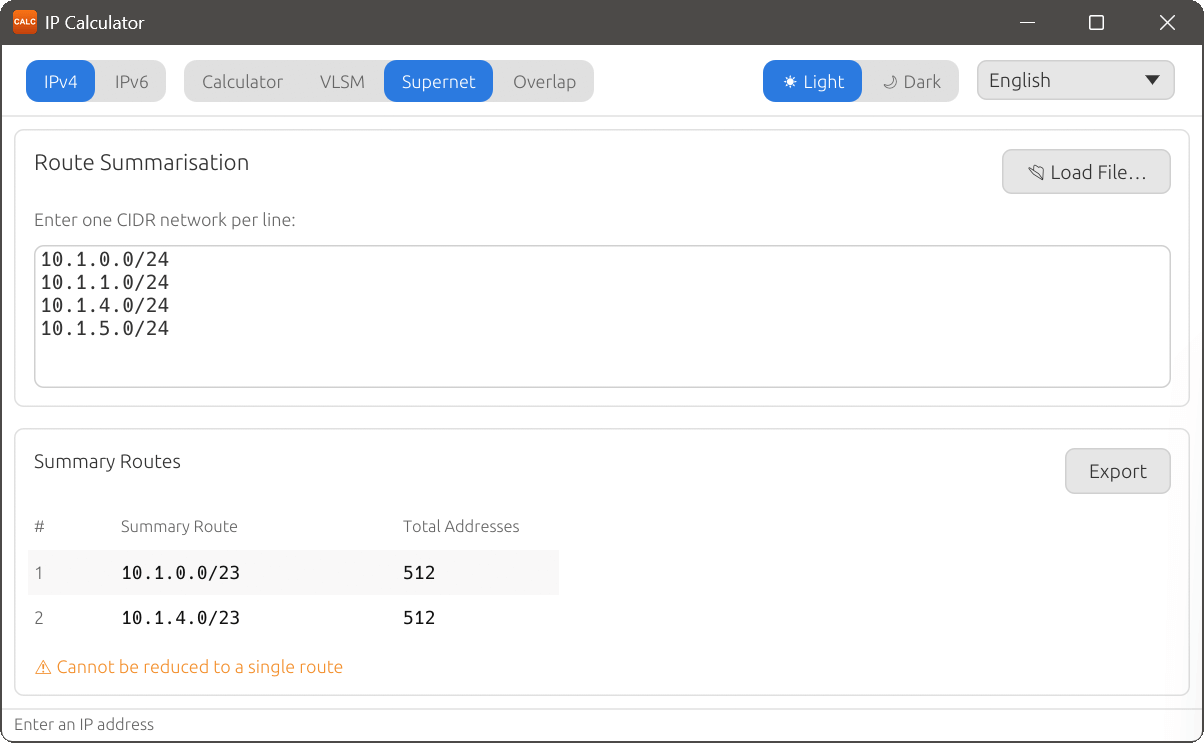
When the input networks are not contiguous or cannot be reduced to a single route, the result may contain multiple summary routes, and IP Calculator shows the message “Cannot be reduced to a single route”. In this case, each summary route covers a contiguous portion of the input networks.
Both IPv4 and IPv6 networks can be summarised. If you enter a mix of IPv4 and IPv6 networks, they are handled independently.